Website instructions
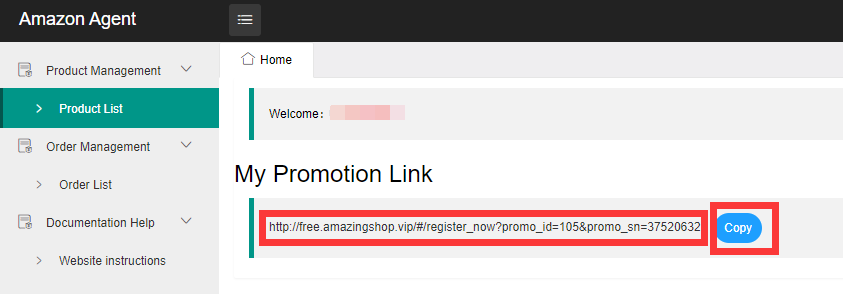
After logging in, you will get a promotion link, send this link to others, they can visit this link, register on our website and submit the order, you can check the order submitted by them on our website, we will follow These orders pay a commission for you.
Commission settlement instructions: We will regularly settle commissions for you, you can check the order refund and commission payment in the [Order List] list.

If you have your own website, or choose to use other ways to promote to users, this is also feasible.
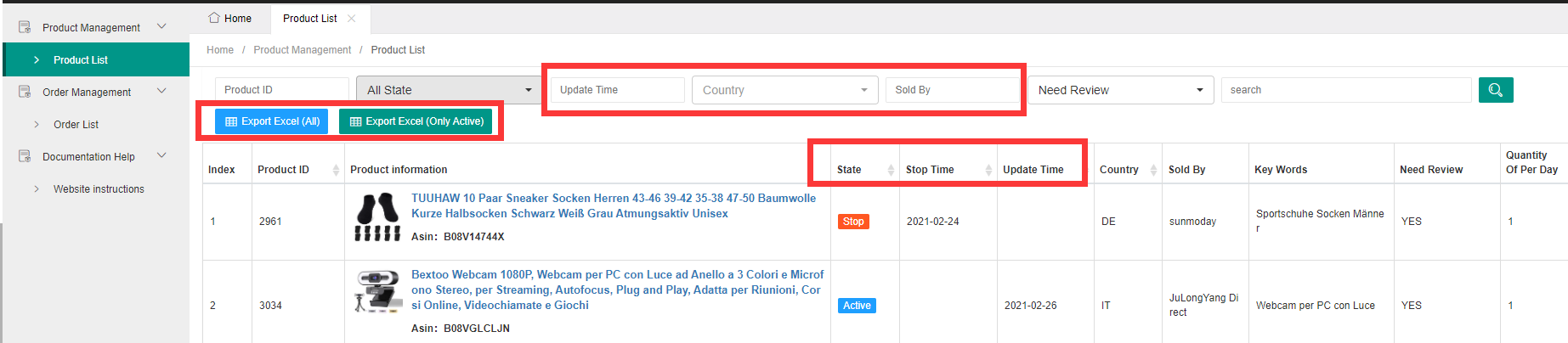
In the [Product List] option, you can view the products we are currently selling in different countries and the products that have stopped selling. You can use the filter function to view the content you want to display.
You can also use the export function to export these product information to an excel sheet. It is also feasible for you to send the excel sheet to other users to sell products to them. In this case, after the user purchases the product, he needs to send the relevant information about the order to You, you submit the order information on our website, and update the content of the review information after the buyer submits the review information. The method of submitting information is as follows:
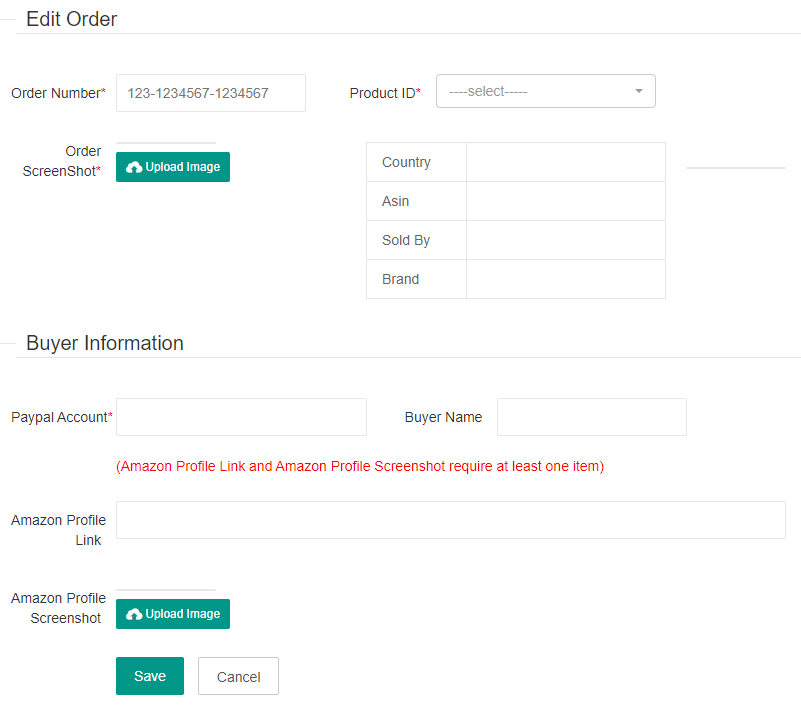
- Click the [Add Order] button in the [Order Management--Order List] and submit the relevant information;
- The information list includes: Order number, ID of purchased product, order screenshot, purchaser's Paypal account, purchaser's Amazon Profile information.
Since we have a limit on the number of products we sell every day, when you use the form to sell products to buyers, you need to update the information on the list of sellable products every day before starting to sell, so as not to promote products that we have stopped selling to buyers.
We provide two export options:
[Export Excel(All)] can export all product information
[Export Excel(Only Active)] Only the product information currently being sold will be exported